Your layout, restored
macOS kept Launchpad's database after the upgrade. Relaunch reads it once and puts your pages and folders back exactly as they were. It never changes the original file.

Relaunch brings back the full-screen grid you swipe left and right, with folders, drag to rearrange and instant search. On first launch it restores the layout you already had.
Free and open source · macOS 14 Sonoma or later · Apple silicon
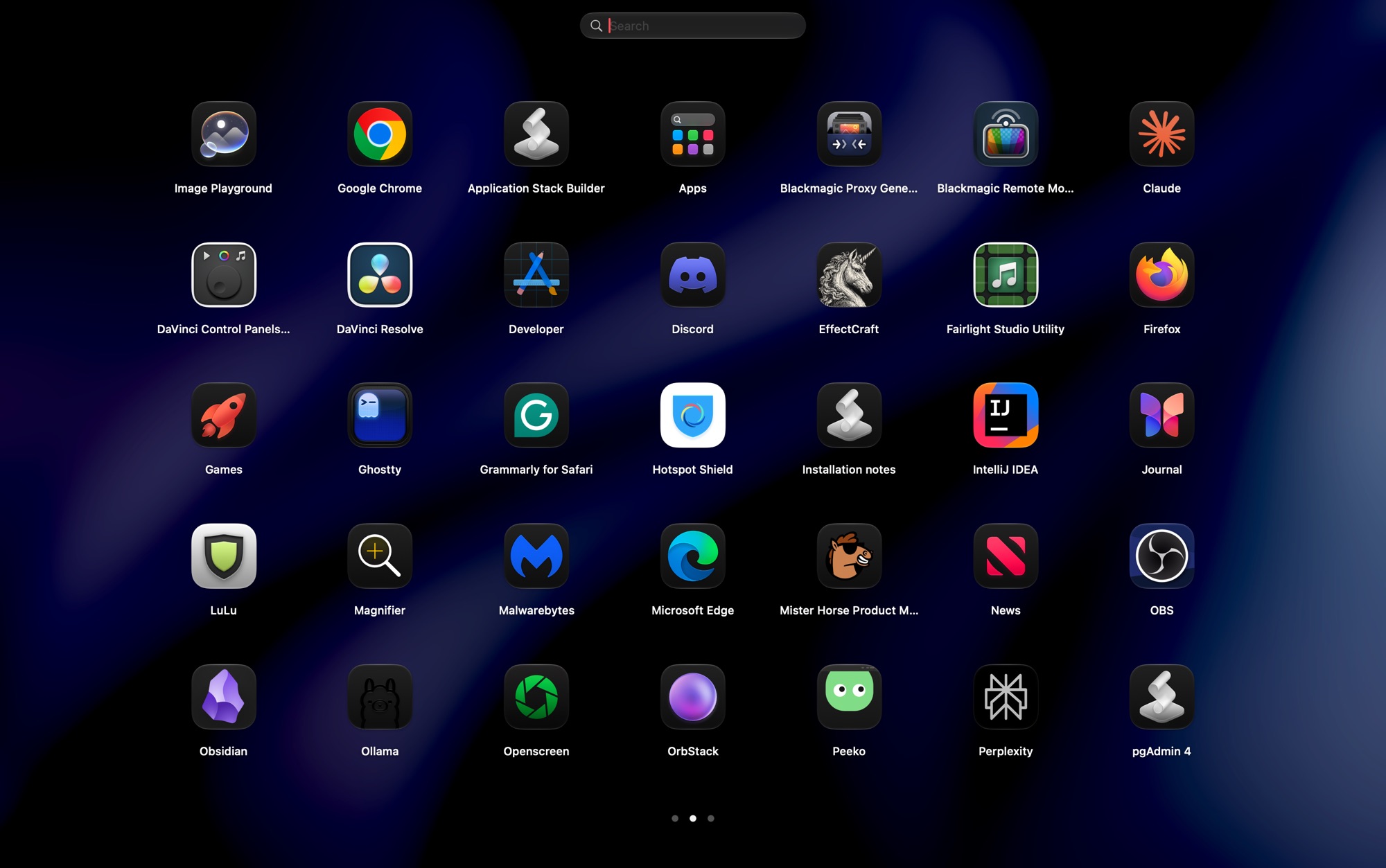
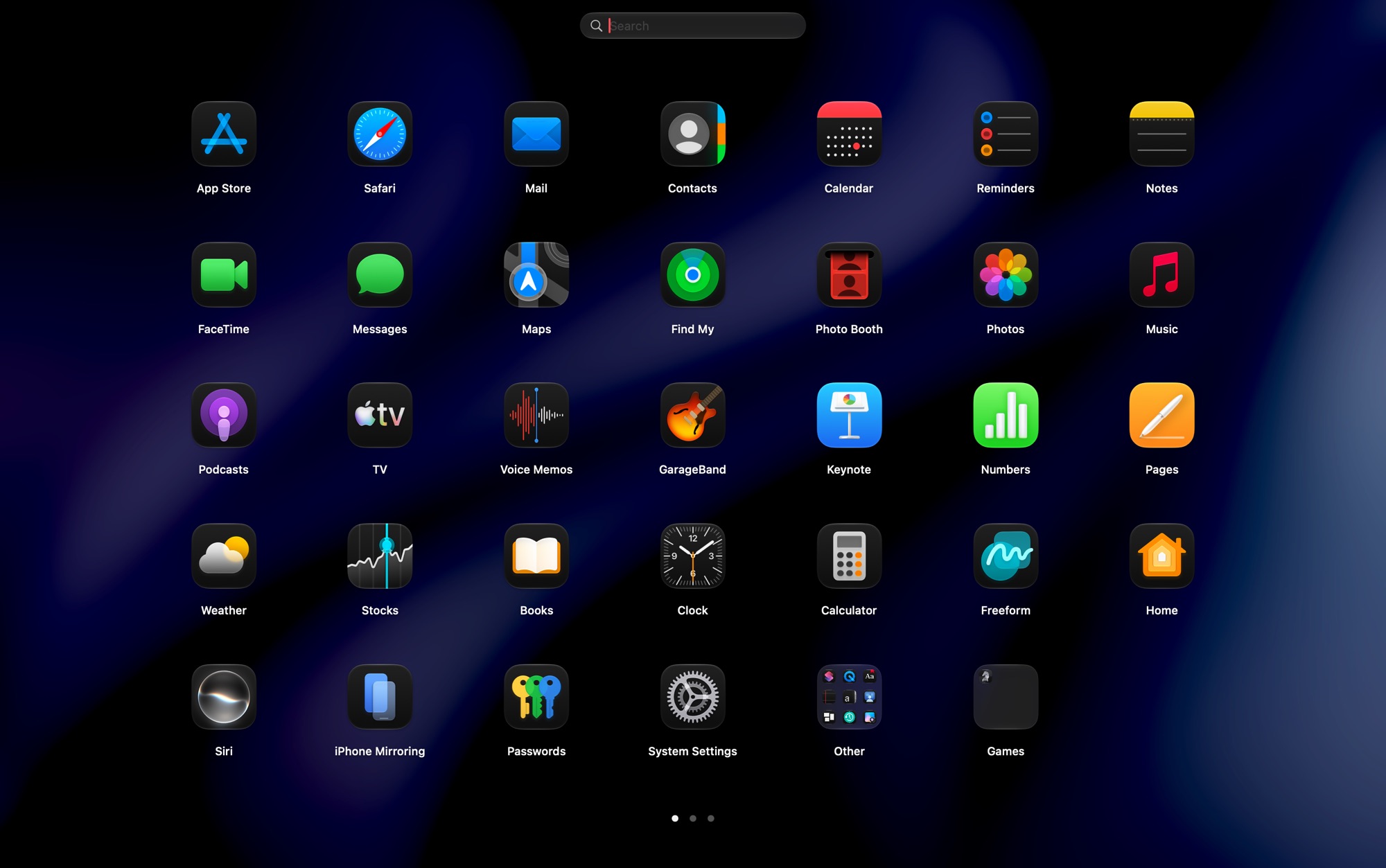
macOS kept Launchpad's database after the upgrade. Relaunch reads it once and puts your pages and folders back exactly as they were. It never changes the original file.
Pages follow your fingers, rubber-band at the ends and snap on a flick. A mouse wheel, ⌘← ⌘→ and the page dots work too.
Drop one app on another to make a folder, named after the apps' category. Rename it in place, drag apps out, or ungroup it in one click.
Matches the start of any word, initials like “vsc”, and ignores accents. Arrow keys and Return launch without touching the mouse.
Relaunch stays running in the background, as Launchpad did inside the Dock. It finds 115 apps in about 50 ms and uses no CPU while idle.
Open it from the Dock, with ⌥Space, or from a hot corner. No Accessibility access, no private APIs, no tracking.
Three ways to get Relaunch. Pick whichever you like.
The usual way: open the disk image and drag Relaunch to Applications.
Download Relaunch.dmgThe app isn't notarized by Apple yet, so macOS may warn about it the first time. Here's how to open it.
One command downloads the latest release, checks its SHA-256 checksum, installs it and opens it.
curl -fsSL https://relaunch.stack42.tech/install.sh | bash
To remove it later:
curl -fsSL https://relaunch.stack42.tech/install.sh | bash -s -- --uninstall.
Read the script before running it.
Only needs Apple's free Command Line Tools. Works on Intel Macs too.
git clone https://github.com/STACK-42/relaunch.git && cd relaunch && scripts/build.sh --install
No Command Line Tools yet? Run xcode-select --install first.
Then drag Relaunch into your Dock, or press ⌥Space. Requires macOS 14 Sonoma or later. The download and Terminal options are for Apple silicon.
macOS may say “Apple could not verify ‘Relaunch’ is free of malware”. That's because this release isn't notarized by Apple yet, not because anything is wrong with it. The source is public. Any one of these fixes it:
You only need to do this once.
Files downloaded by Terminal aren't marked as “from the internet”, so this install doesn't trigger the warning. It still checks the download's checksum.
curl -fsSL https://relaunch.stack42.tech/install.sh | bash
If Relaunch is already in Applications, this removes the “downloaded from the internet” mark macOS put on it:
xattr -dr com.apple.quarantine /Applications/Relaunch.app
Only do this for apps you trust.
Launchpad opened when you pinched with your thumb and three fingers (or all five). macOS now uses that pinch for its own Apps view and doesn't let other apps receive it. You can still put it back:
This stops macOS from opening its own Apps view when you pinch.
Use a gesture app such as BetterTouchTool (paid, with a free trial):
Opening Relaunch while it's already running closes it, so the same pinch both opens and closes the grid, like Launchpad did.
Press ⌥Space, click Relaunch in your Dock, or use a hot corner:
defaults write com.ahmedalghali.Relaunch hotCorner bottomLeft
Then quit and reopen Relaunch. Also accepts topLeft, topRight
and bottomRight.
Not by itself: macOS keeps both for its own Apps view. You can bring the pinch back with a gesture app, though. See Bring back the pinch. The F4 key can't be remapped without extra tools, so Relaunch uses ⌥Space, the Dock icon and an optional hot corner.
With defaults, then restart Relaunch:
defaults write com.ahmedalghali.Relaunch hotkey "ctrl+opt+l"
defaults write com.ahmedalghali.Relaunch columns -int 8
defaults write com.ahmedalghali.Relaunch hotCorner bottomLeftYes. Without an old layout it starts with Apple's apps first, utilities in an “Other” folder, and everything else alphabetically.
Run curl -fsSL https://relaunch.stack42.tech/install.sh | bash -s -- --uninstall,
or quit it from the right-click menu on the background, then delete the app and
~/Library/Application Support/Relaunch.
The project's research notes explain how Apple's original worked, based only on inspecting the system. Relaunch's code is original and uses public APIs. Read the notes.